What is Linux
- Linux is OS which is build by Linux Torvalds in 1991. It is open source, free to use
- Linux was originally build for coder and programmers, then over the years GUI start getting implemented on Linux
- The source code of Linux is freely available to it's user's.
- Different versions of Linux are Ubuntu, Redhat, Solaris, Linux mint etc.
See the Desktop of Linux Mint
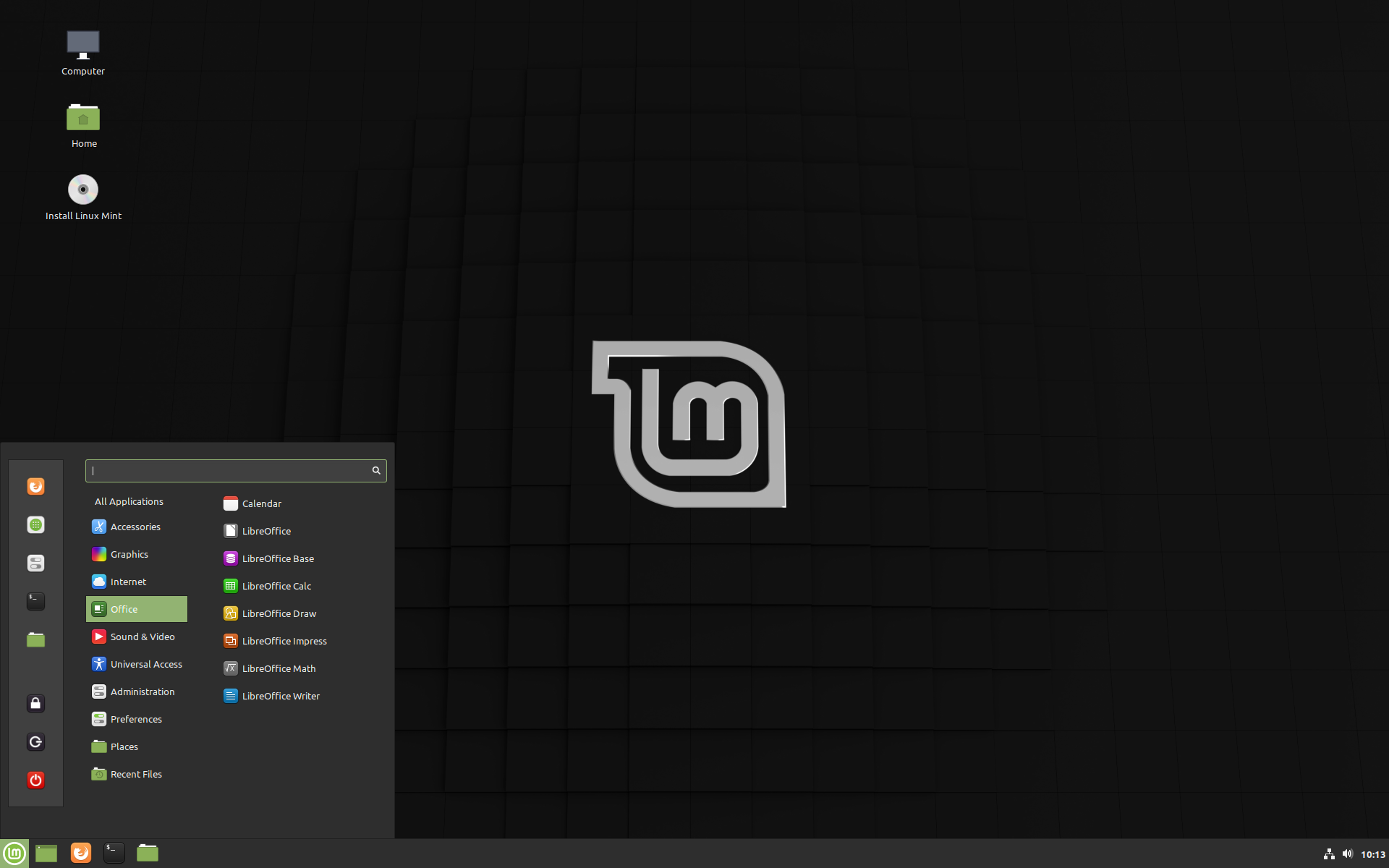
Two major things you need to know before digging up into Linux.
Shell and Kernal

- Both shell and kernal are part of OS, both are used for performing any operation on system, when user give any command to system first it goes to shell parts.
- Kernel is computer program that is the core of a computer's OS. with complete control over everything in the system. On most system. it is first program loaded on start-up
- Shell is basically a program that accept the cmd from keyboard and send to OS to perform. If you ever used GUI, you have probably seen the terminal and console, that is actually shell program
- We will use bash(Borne Again Shell),all Linux has default bash shell only. there are variuos shell are provided like ksh, zsh, tsch etc
- Shell parts convert the human program to machine language. then it transfered into kernal parts. kernal process the request and display it into the screen

What is Bash?
- Bash (Bourne Again SHell) It is default shell of linux.
- It is written by steven bourne
- On right side, this is how bash looks like.
File Heirarchical structure of linux?
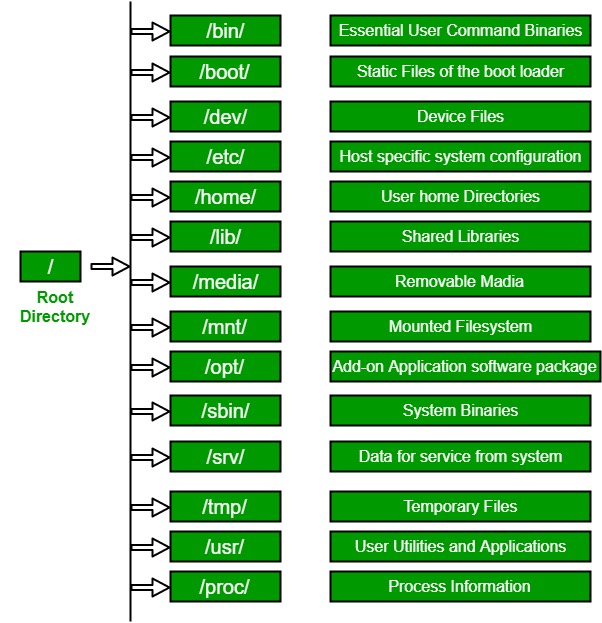
/bin, /boot etc are folder but where we can see this folder?

all these folders are inside / folder in Linux OS
Everything in Linux is stored in file, So literally everything is stored in such file.
What are different basic commands on Linux?
- pwd - (present working directory) this command will print the absolute path to current working directory
- cd - (change directory) it is used to change the directory
- cd . (current directory)
- echo hello world (to print hello world)
- touch (create empty new file)
- cat (concatenate)
- cal - it shows the calender of current month
- wc - (word count)
- mv - (move file)
- cp - (copy)
- mkdir (make directory)
- redir (remove directory)
- rm (remove)
- grep (to search any specific set of char)
- tr (to change the set of char to another set of char)
- sort (sort in alphabetic order)
cd .. (parent directory)
cd ~ (home directory)
cd - (previous directory)
li (list directory)
ls -l (for long detailed list)
ls -R (it will show whole directory, R stands for recursive)
A question for you. What if you wanted to add "Hello World" inside d1.t
Ans - echo hello world > d1.txt
greater then (>) is used to type inside d1.txt fileAnother Question, Why people use Linux?
- It makes you a power user - Yes I know Windows has Powershell which gives you access to shell/bash but there is something so open and free about using it on a Linux OS, you can literally wipe your computer from the command line and as long as your sudo and rooted it will do it without a second thought.
- Customization - This is kind of an extension of point one, but you can literally do anything to your Linux operating system, you can change anything without violating any “terms and conditions”. With the wide variety of OS’s to meet almost any need coupled with the fact that the Linux kernel is Open Source and free to build off of the possibilities are endless.
- Easy to set up a server - sudo apt-get install apache2, that is what I need to install a server on my machine. Things like installing new languages, databases, servers, is nothing on a Linux machine.
- It’s lightweight - The size of Ubuntu 16.04 is around 1.4gb, the size of Windows 10 is about 6gb. That alone tells you a lot, but then you have to factor in programs that are constantly going off in the background that steal your ram.
Comments
Post a Comment